Last updated :
SEO content strategy for personal trainers in 2026: get steady traffic
Getting clicks from Instagram but no enquiries from Google?
This guide is for personal trainers who want to show up in local search and turn that visibility into real clients.
You do not need technical skills or hours of work.
With a simple weekly routine, clear service pages, and a basic review system, you can start getting consistent leads from Google.
This SEO content strategy for personal trainers focuses on one goal: more bookings, not just more traffic.
If you also want your website structure to support those leads, start with our complete guide on how to build a personal trainer website that drives more bookings.
Sommaire
Set simple SEO goals and define your services
SEO for personal trainers means showing up on Google when someone searches for a coach in your area and turning that click into a booking.
Choose your location and delivery model
Before any keyword or content work, decide where and how you train clients. This shapes every page you create and what you rank for.
Pick one main setup: local, online, or hybrid. Local means in-person within a city or area. Online means remote coaching across regions. Hybrid mixes both.
Write down your primary location (for example, “Manchester city centre” or “North Austin”) and your delivery model (“1:1 in-person,” “online coaching,” “small-group,” “corporate fitness”).
If you coach online, note your time zones and languages. This helps you target “online personal trainer for UK clients” or “virtual strength coach EST.”
Pick your niche and client outcomes
General fitness is crowded. Choose a simple niche so searches are specific and easier to rank for.
Define who you help and the outcome. Example: “Busy dads losing 10 kg,” “Runners building strength without injury,” “Postnatal core recovery,” or “Women 40+ gaining muscle.”
Turn that into a short line you can reuse: “Online strength coaching for runners who want faster 10Ks” or “In-person fat loss coaching in Dublin for busy professionals.”
List competitors and how clients find you now
Open Google and search the services you offer with your area. Note who appears in the map and first page. They show what you need to match or beat.
Ask 5 clients how they found you: Google, Instagram, TikTok, referrals, or directories. Put the answers in a simple sheet so you focus on what already works.
Save your top 3 rivals and the exact searches where they show. You will create pages that match those searches with clearer, simpler copy.
SEO content strategy for personal trainers: map keywords to pages
List 3 to 5 searches for each service
Keywords are the exact words people type into Google. Start tiny: 3–5 searches for each service you sell.
Use Google Keyword Planner to find simple, relevant “personal training keywords.” AlsoAsked or AnswerThePublic can spark question ideas.
To make it concrete, here are examples for common services:
1:1 Personal Training: “personal trainer near me,” “1:1 personal training [city],” “private trainer [city]”
Online Coaching: “online personal trainer,” “online fitness coach,” “virtual strength coach”
Small-Group Training: “small group personal training [city],” “semi-private training [city]”
Niche Goal: “postnatal personal trainer [city],” “running strength coach online,” “weight loss coach [city]”
Add city or area to keywords for local reach
If you meet clients in person, add your city or neighborhood to each search. This is local SEO for personal trainers in the simplest form.
Example: change “personal trainer” to “personal trainer in Brighton,” “best personal trainer Brighton,” or “weight loss trainer Hove.”
You can also cover nearby areas with a separate line on your page: “Serving Brighton, Hove, and Shoreham.” Keep it honest and close.
Tip: you do not need to write “near me.” Adding your city (for example, “personal trainer in Brighton”) usually covers these searches.
Create one page for each service and search type
Google ranks pages, not whole sites. Make one dedicated page per service so it answers one search clearly.
Map your list like this: one page for “Personal Training in [City],” one for “Small-Group Training in [City],” and one for “Online Coaching.”
For niche goals, create a focused page: “Postnatal Personal Trainer in [City]” or “Online Strength Coaching for Runners.” Don’t squeeze everything into one page.
Title + H1: “Personal Trainer in [City] | [Name]”.
Write 150–200 words: who it’s for, outcome, and how it works.
Add a clear button: “Book a free consultation.”
Optimize your service pages for search and sales
Set a clear page title and H1 with your main phrase
Your page title is the blue link in Google. Your H1 is the main heading on the page. Keep both clear and close to the search.
Use a simple format for titles: “Personal Trainer in [City] | [Your Name or Studio].” For online: “Online Personal Training for [Niche] | [Brand].”
Match the H1 to the same idea: “Personal Training in [City]” or “Online Strength Coaching.” One page, one focus.
Use benefits-focused copy, FAQs, proof, and a clear call to action
Write like you speak to a new lead. Focus on benefits, not features. “Lose 10 kg without giving up weekends” beats “12-week plan.”
Structure your page in this order:
Who it’s for and the outcome (2–3 lines)
How it works (steps, sessions, check-ins)
Pricing or ranges (be transparent)
Social proof: reviews, before/after, certifications
FAQs that remove doubts (“How fast will I see results?”)
Call to action: “Book a free consultation” with a short form
Add a short meta description in your site editor if available. A meta description is the short summary that shows under your page title in Google.
Make your pages load fast on mobile
Fast pages win because people stay and read. Aim for these Core Web Vitals targets with simple meanings.
LCP (how fast the main content loads) under 2.5s, CLS (page does not jump around) under 0.1, and INP (page responds quickly to taps) under 200 ms.
Test your site in PageSpeed Insights.
Compress images to 200–300 KB or less.
Remove unused apps or scripts you do not need.
Use short videos, avoid auto-play, and only add what helps the page. Retest after each change.
Local SEO for personal trainers with Google Business Profile
Pick the right categories and services
Start at Google Business Profile and claim your listing. Choose “Personal Trainer” as the primary category to match your core service.
Add only relevant secondary categories (for example, “Fitness Trainer” or “Weight Loss Service”). Accuracy beats quantity. Use tools like PlePer to discover category options, then pick only what you actually do.
Fill the services section to mirror your site: 1:1 Personal Training, Small-Group Training, Online Coaching, and any niche offers.
Keep your name, address, and phone the same everywhere
Use the exact same business name, address, and phone number on your site, GBP, and social pages. This is called NAP consistency.
Match formatting, including suite numbers and abbreviations. Small differences can create duplicates and weaken trust.
If you operate by appointment only, set hours accordingly and enable messaging so leads can reach you easily.
Add your business to 2–3 trusted directories, such as Apple Maps, Yelp, and Bing Places, using the exact same name, address, and phone.
Add photos, posts, and service areas regularly
Upload real photos of sessions, equipment, and progress boards (with permission). Authentic photos earn more engagement.
Post weekly updates or offers. Short, helpful content keeps your profile active and visible in local search.
Define service areas around neighborhoods you actually cover. Focus wins over trying to rank everywhere.
Get more reviews and use them to win local search
Ask at the right time with a short script
Timing beats volume. Ask after a visible win: the 3rd session, a PB, or a progress photo the client loves.
Use a friendly one-liner: “If this was helpful, a quick Google review helps others find me and keeps prices fair. Would you mind?”
For SMS or email: “Thanks for today — your deadlift jumped 10 kg! If you can spare 30 seconds, here’s my Google review link. It really helps.”
Send a direct link to your Google review form
Make it effortless. In your GBP dashboard, click “Ask for reviews” and copy the short link.
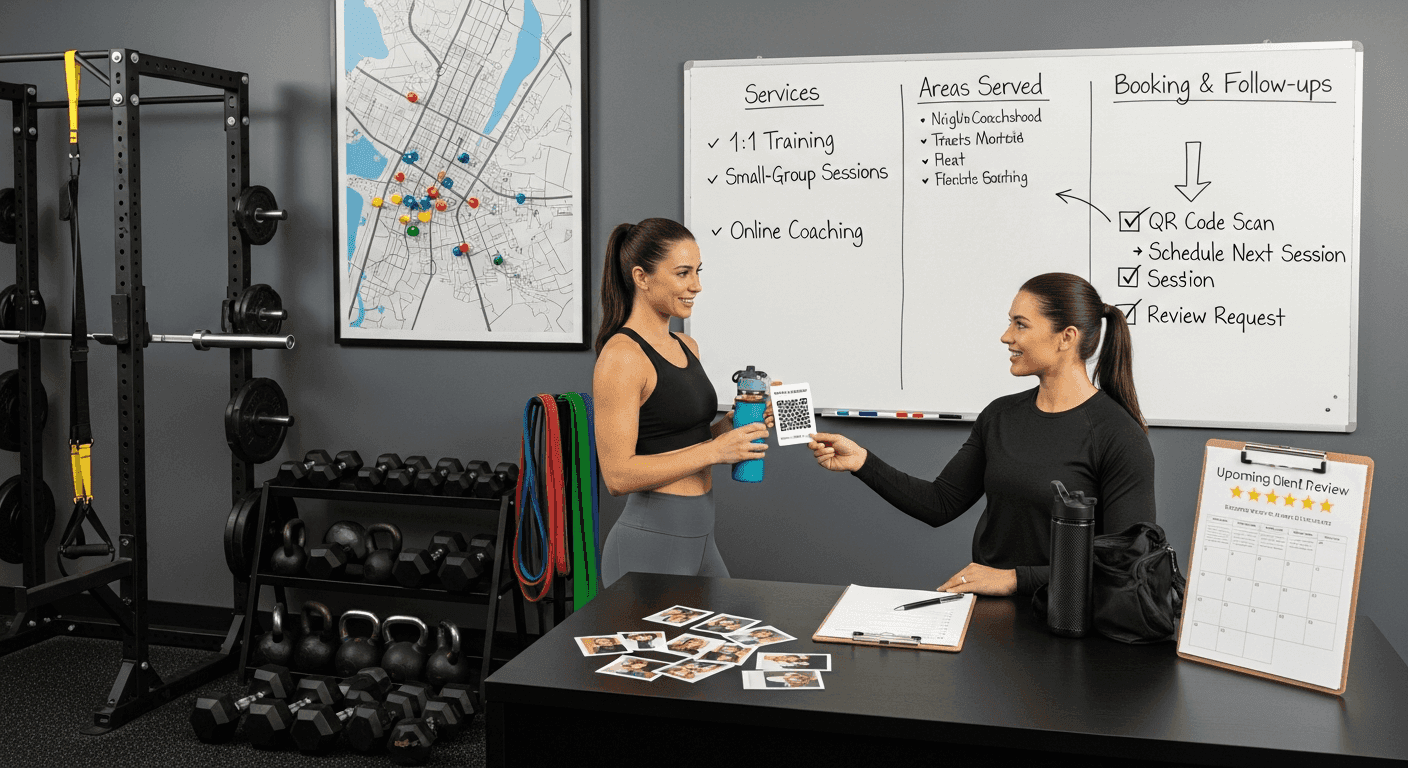
Save this link in your phone notes, email signature, and booking confirmations. A QR code on a business card works well after sessions.
Tip: save your review link in your phone Notes so you can send it right after a session.
Avoid asking for specific wording. Let clients write naturally — it reads better and stays within Google’s guidelines.
Feature reviews on pages and your profile
Add 2–4 relevant reviews to each service page. Place them near the pricing or call to action to reduce hesitation.
Use theme blocks or simple quotes with the client’s first name and goal. Rotate fresh reviews monthly.
Most people read reviews before contacting a business (BrightLocal Local Consumer Review Survey), so put proof where decisions happen: home, services, and your contact page.
SEO content strategy for personal trainers made simple
A weekly 30-minute routine you can keep up
Consistency beats intensity. Here’s a quick schedule you can repeat every week.
5 min: Check GBP messages and add one new photo or post.
10 min: Write one short tip or client story and publish it as a blog or post.
5 min: Add an internal link from that post to the matching service page.
5 min: Ask one client for a review using your saved script and link.
5 min: Note top questions you heard this week for future “fitness blog topics for clients.”
Blog formats for niche searches and client questions
Short posts that answer real questions win in AI Overviews and search. Keep them specific and experience-based.
Use simple formats:
How-to guides: step-by-step actions
Checklists: quick, printable lists
Mistakes to avoid: common pitfalls
Comparisons: options and which suits who
Here are 12 starter titles you can adapt:
“Beginner strength plan for runners: 20 minutes, 3 days a week”
“Postnatal core: what to train in the first 6 weeks”
“Small-group training vs classes: which gets better results?”
“How to pick a personal trainer in [City]: 7 questions to ask”
“Online coaching check-in example: what I ask every week”
“Meal planning for busy professionals: a 15-minute method”
“At-home workout kit under $100: coach-approved list”
“How long does safe fat loss take? A coach’s timeline”
“Mobility routine for desk workers: 5 moves in 5 minutes”
“Hypertrophy basics after 40: sets, reps, and recovery”
“What to expect in your first PT session in [City]”
“Cutting through myths: cardio vs weights for fat loss”
Set up GA4 and Search Console in 15 minutes
Tracking shows what works so you do more of it. Two free tools are enough.
Create a property in Google Analytics 4 and add the tag with your site builder’s GA/Analytics field.
In GA4, set a conversion as a finished action, like a visit to your thank‑you page after someone submits your contact form.
Set up Google Search Console to see searches, clicks, and issues. Verify using your Analytics or an HTML tag.
Each month, check: top pages, top queries, and which posts lead to contact form visits. That’s your simple “personal trainer website SEO checklist.”
Internal linking for beginners and simple site structure
Link each new post to its matching service page
Internal links are links between your own pages. They help visitors find the next step and help Google understand your site.
At the end of every blog, add one line: “Ready for coaching? Learn more about my [Service] in [City]” and link those words to the service page.
Use natural anchor text like “personal training in [City]” or “online strength coaching” — the same phrases people search.
Add links from services to guides and testimonials
On each service page, link to 1–2 helpful guides and your top testimonials. This builds trust and keeps people exploring.
Example: on “Postnatal Personal Trainer in [City],” link to “Postnatal core: first 6 weeks” and your best postnatal client story.
Keep it simple: a short “Learn more” section with two links is enough.
Use clear menus and breadcrumb links
Your main menu should show Home, Services, About, Results/Reviews, Blog, and Contact. Avoid deep dropdowns.
Breadcrumbs are tiny “You are here” links at the top of a page, like Home > Services > Personal Training. They help users and Google follow your structure.
It’s like organizing a gym: labels on every rack. Clear labels make it easy to find, use, and return the right weight.
You now have a simple plan to get found on Google without tech skills: choose your niche and area, map a few searches to focused service pages, and keep those pages fast and helpful. Add proof with real reviews, and link every new post to the matching service page so visitors always know the next step. Start the 30‑minute weekly routine today — this SEO content strategy for personal trainers helps you show up more, earn steady clicks, and book more consultations.
FAQ common questions on fitness SEO in 2026
What is a keyword map and how do I create one for my services?
A keyword map is a simple list that matches each service to the exact searches people type. Start by writing your services, then list 3–5 searches for each, adding your city if you coach locally. Give each group its own page, like “Personal Training in [City]” or “Online Coaching for Runners.” This keeps your SEO content strategy for personal trainers focused and clear.
Which keywords should personal trainers target first?
Start with intent keywords that match what you sell: “personal trainer [city],” “small-group training [city],” “online personal trainer,” or “[niche] coach [city].” Add longer phrases that show a goal, like “postnatal personal trainer Dublin” or “strength coach for runners online.” Avoid broad terms alone — they are crowded and slow to rank.
How do I get my training business to show up on Google Maps?
Create or claim your Google Business Profile, which is the free listing that powers Maps. Choose “Personal Trainer” as your main category, add real services, and keep your name, address, and phone the same as on your website. Upload photos, post quick updates weekly, and ask happy clients for Google reviews — these signals help you appear in the local pack.
How long does SEO take for a new personal trainer website?
With focused service pages and fast loading, you can see first impressions and clicks in 4–8 weeks for local searches. Steady traffic and enquiries usually take 3–6 months with regular posts, internal links, and reviews. New sites need time to build trust, so keep a simple routine and check progress monthly.
Is blogging still important for SEO in 2026?
Yes — short, specific posts that answer real client questions can rank and show in Google’s AI Overviews, which are quick summaries at the top of results. Write practical guides, checklists, and comparisons, then link each post to the matching service page. One helpful post a week or every two weeks is enough if you stay consistent.
How do I track SEO results in Google Analytics 4 and Search Console?
Google Analytics 4 (GA4) shows what people do on your site; set a conversion for your contact form or booking page so you can see leads. Google Search Console shows the searches, clicks, and pages that bring traffic. Check both once a month: top pages, top queries, and which posts lead to contact visits — then update or link those winners. This keeps your SEO content strategy for personal trainers focused on what works.
En Lire Plus
Gardez une longueur d'avance avec des conseils d'experts en branding, design et marketing.

