Last updated :
Personal trainer website in 2026: how to build for more bookings
Clients are ready to book while you sleep — about 40% of appointments happen outside business hours. If your site feels slow, cluttered, or unclear, those clicks disappear. This guide shows you how to fix that and turn visits into bookings. In 2026, a clean, mobile‑first site isn’t optional — it’s the difference between DMs (direct messages) and a full calendar. We’ll show you how to clarify your niche, design only what matters, and build a booking flow people finish — without jargon or tech overwhelm. Build a personal trainer website — a clean, mobile‑first fitness coach website — that works hard for you, not the other way around.
Sommaire
Get clear on your niche, promise, and proof before you design
Define your audience and specific outcome
Before touching visuals, decide who you help and what result you deliver. Think “busy dads gaining strength at home” or “postnatal moms rebuilding core safely.” Specific beats broad every time.
Here’s a clear way to approach it: pick one audience, one main problem, and one measurable outcome. For example: “Desk workers with back pain” → “reduce pain” → “train pain-free for 45 minutes within 8 weeks.”
To make it concrete, ask three questions: Who am I best at helping? What result do they want most? What timeline feels honest? Write this down and keep it visible while you build.
Craft a clear value proposition in one line
Use this simple line on your homepage: “I help [who] achieve [result] with [method] in [timeframe] without [big objection].” Keep it short and plain.
Examples: “I help new moms rebuild core strength in 12 weeks with low-impact training, without long gym sessions.” Or “I help busy executives lose 10kg in 16 weeks using strength + habit coaching, without extreme diets.”
Test your line aloud with a friend. If they get it in three seconds, you’re ready. If not, simplify the words and cut fluff. Clarity converts more than clever phrases.
Collect credentials and results to support claims
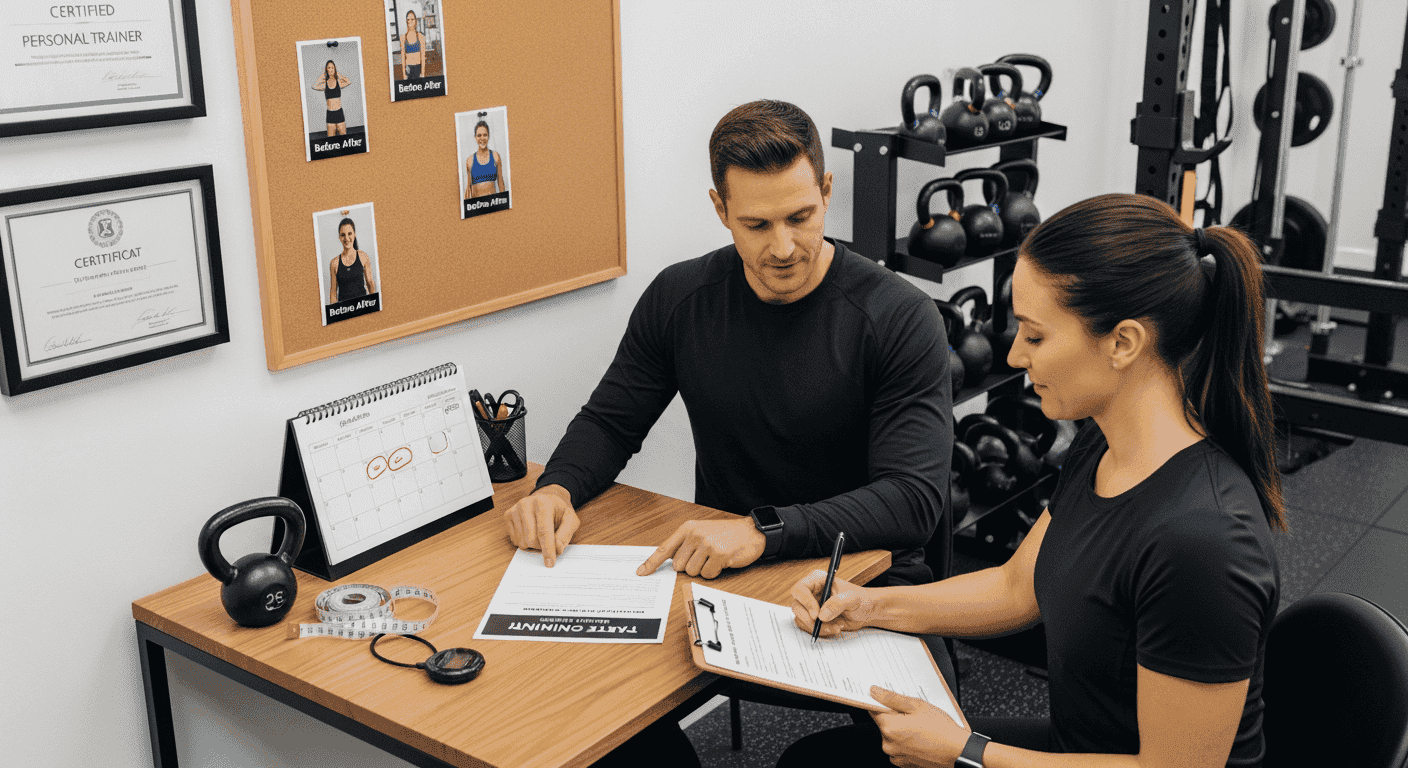
Gather proof early. Include certifications, CPR/first aid, insurance, and niche training (e.g., pre/postnatal, strength, mobility). Proof reduces risk for buyers.
Document client results with numbers: weight change, strength gains, pain reduction, time saved. Add short stories like “From zero pull-ups to three in 10 weeks.” Specifics feel real.
Set up a simple process to request testimonials and Google reviews after week 4, 8, or a milestone. Keep a shared folder with screenshots, photos, and quotes you have permission to use.
Structure a personal trainer website that drives bookings
One page or multi page for a new coach
If you’re starting out, a one‑page site works well. It forces focus: offer, proof, pricing, and booking in one flow. Fast to launch, easy to improve.
Go multi‑page when you have multiple services, detailed case studies, or content. Use separate pages for Services, Pricing, About, Results, and booking. Each page should have one job.
Think of it like a gym circuit: one-page is a tight circuit; multi‑page is a full program. Choose the shortest path that still covers the essentials.
Core pages to launch now and what to add later
Start lean. Launch with the pages that move someone from interest to booking. Add depth when you have data and demand.
Launch now with:
Home: promise, method, proof, primary call to action.
Coaching/Services: what’s included, who it’s for, packages.
Pricing: simple plans, what’s covered, payment options.
About: your story, credentials, approach.
Results/Testimonials: real outcomes and short client stories.
Book/Contact: calendar or form with clear next step.
Add later:
Resources/Blog: practical posts that answer client questions.
Programs/Online Coaching: if you add remote options.
Terms, Privacy, and Cookies: basic policies to build trust.
Pick a platform like WordPress or Squarespace
Choose a platform that matches your time and tech comfort. Simplicity beats features you won’t use.
Here’s a quick guide:
Squarespace: all‑in‑one, clean templates, and a personal training website template to start fast. Built‑in scheduling if you need it. Great for a fast, stable launch.
WordPress: most flexible, best for custom SEO and growth. Use a lightweight theme and a booking tool you control.
Wix or Webflow: modern design options; Webflow suits custom design, Wix suits DIY speed.
Pick one and commit for 12 months. Your process and content drive results, not minor platform differences. Choose a short domain that’s easy to say and spell — your name or brand, .com or your country domain if you’re local.
Design and copy that convert in 2026
Simple hero copy formula that captures your niche
Your hero section (the first screen) should answer: who you help, the result, and the next step. One thought, one button.
Use this format: Headline (result) → One‑line support (method + who) → Primary button (your booking action). Example: “Stronger in 12 Weeks.” “Strength and habit coaching for busy professionals.” Button: “Book a Free Consult.”
Avoid buzzwords. Speak like a client would: “Get out of back pain,” not “optimize functional capacity.” Plain words earn trust.
Want to write a clearer, higher-converting value proposition?
Read our full guide on how to craft a unique value proposition for fitness coaches — with templates, examples, and a 10-minute method you can apply today.
Use real photos and short video for credibility
People hire people. Use clear, real photos: you coaching, client sessions, simple equipment, and your smile. Stock photos look generic.
Record a 20–30 second vertical video for your homepage: who you help, your method, and the next step. Shoot near a window, keep background tidy, and add subtitles.
Show variety: beginner, returning after injury, and a busy schedule setup at home. Your visuals should reflect your niche and real environment.
Make it fast, mobile friendly, and accessible
Most visits happen on phones, so design mobile‑first. Use large text, clear buttons, and short paragraphs. Simple layouts load faster.
Because most bookings happen on phones, your mobile layout needs to remove friction and make actions obvious.
Our guide on mobile-first design for personal trainers shows how to structure pages, buttons, and speed so taps turn into bookings.
Focus on page speed basics: compress images, limit heavy scripts, and avoid auto‑playing long videos. Google’s newer metric, INP (Interaction to Next Paint), measures how quickly pages respond to taps; learn more on Google’s guide at web.dev.
Speed quick wins:
Compress images with a free tool like Squoosh.
Remove apps or scripts you don’t use.
Avoid auto‑play video on mobile.
Build accessibly: strong color contrast, labels on forms, and keyboard‑friendly buttons. WCAG 2.2 explains practical standards for buttons and forms at w3.org. Accessibility helps everyone.
Build a streamlined booking and payment experience
Use one primary call to action that leads to booking
Choose one main action across your site, like “Book a Free Consult” or “Start Coaching.” Repeat it in the hero, sections, and footer. One path reduces confusion.
Link that button to a single page with your calendar or intake form. Remove extra choices that stall decisions. Short paths convert higher.
Set up scheduling with intake and automatic reminders
Use a scheduling tool (Calendly, Acuity/Squarespace Scheduling, or Setmore). Connect your calendar and set clear hours. Add buffer time between calls.
Add 3–5 intake questions: goal, timeframe, training location, injuries, and preferred contact method. Keep it brief so people finish.
Turn on confirmation emails and text reminders. Around 40% of appointments happen outside business hours, so online booking catches them. Reminders cut no‑shows.
Want to reduce no-shows and make booking effortless for clients?
Read our complete guide on booking flow for personal trainers to learn how to set up scheduling, deposits, reminders, and policies that actually get sessions completed.
Take deposits and online payments to cut no shows
Collect a small deposit for paid sessions or the first month via Stripe, Square, or PayPal. Offer Apple Pay and Google Pay (mobile wallets) for speed. A small deposit reduces no‑shows.
Share your cancellation window upfront (e.g., 24 hours). Make rescheduling easy using the same booking link. Clear terms feel fair and protect your time.
Add proof, policies, and pricing that build trust
Testimonials with specifics and Google reviews
Ask clients for one specific win: “Bench press from 40kg to 60kg in 10 weeks” beats “Great trainer.” Details beat adjectives.
Invite them to leave a Google review and then feature short quotes on your site with first name and context (e.g., “desk job, 38”). Link visitors to your Google listing for full reviews. Third‑party proof matters.
Before and after gallery that respects privacy
Get written consent, even if faces aren’t shown. Offer options: crop faces, blur tattoos, or use first names only. Respect earns referrals.
Pair photos with context: timeframe, method, and habits, not just weight. Example: “12 weeks, 3 sessions/week, + 8,000 daily steps.” Specifics guide expectations.
Guarantees, clear cancellation, and risk reversal
Offer a simple promise like “If you complete all sessions in 30 days and feel no progress, your next session is on me.” Risk reversal reduces hesitation (it means you carry some of the risk so clients feel safe).
State your cancellation and reschedule policy in plain language and place it near booking and pricing. Clarity here avoids friction later.
SEO for a trainer site that attracts the right clients
Pick keywords and apply on page basics
Choose one main phrase per page. Example: Home → “personal trainer in [city]”; Services → “strength coaching [city]”; Online services → “online personal training” or “online fitness coaching for [audience].” One page, one focus.
Apply basics: put the main phrase in the page title, H1 (main heading), and first paragraph. Write a clear meta description that invites the click.
Add internal links between pages with natural anchor text, like “See pricing” or “View client results.” Make navigation obvious.
To go further and get steady traffic from Google, you need a simple plan you can actually maintain. Our step-by-step guide on SEO content strategy for personal trainers in 2026 shows how to map keywords to pages, build local visibility, and earn consistent clicks without tech overwhelm.
Google Business Profile, consistent contact details, and reviews
Create or claim your Google Business Profile at google.com/business. Add categories, service areas, hours, and photos. Keep details accurate.
Use the same business name, address, and phone number everywhere (your site, Google, social). This consistency helps local search trust your info. Tip: use the same phone number format and address spelling everywhere (e.g., “Suite” vs “Ste”).
Ask for reviews regularly. Reply to every review with thanks and a detail about their journey. Active profiles get more views.
Basic structured data and simple content ideas
Structured data is small labels that help Google understand your business. Add LocalBusiness and Person details using your platform settings or a simple plugin like Rank Math or Yoast SEO. It’s like a clear tag for your site.
Create three helpful posts to start: “Pricing and what’s included,” “How my coaching works week by week,” and “Client story: from back pain to strong.” These attract the right people.
Measure and improve your personal trainer website
Set up Google Analytics and Search Console for clear tracking
Install Google Analytics 4 to see visits, pages, and actions like booking clicks. Get started at google.com/analytics. Track what matters.
Mark your “Book a Free Consult” button click as a conversion in GA4, then test it on desktop and mobile.
Set up Google Search Console to see search terms, top pages, and any issues. Start at search.google.com/search-console. Fix errors early.
Focus on a few KPIs and collect first party data
Watch a short list: total visits, booking page visits, consults scheduled, conversion rate, and page speed. Fewer metrics, better focus.
Collect first‑party data (the email and name people give you directly) with a simple lead magnet like a “7‑day strength starter.” Third‑party cookies are fading in 2026, so build your own list with clear consent. When you collect emails, show a short consent message and link to your privacy policy.
Your 30, 60, 90 day improvement plan
Work in short sprints so you improve steadily without burning out. Here’s a simple plan you can follow.
Days 1–30: Launch a lean site, set one CTA, add 3 testimonials, and enable scheduling + reminders.
Days 31–60: Publish Pricing and Results pages, compress images, and improve mobile layout. Ask for 5 Google reviews.
Days 61–90: Add one helpful post per week, tighten headlines, collect a short video testimonial, and review Analytics + Search Console to spot quick wins.
Get clear on who you help and the result you deliver so your site stays simple and focused. Design for phones first, use plain words, and guide visitors with one path to book. Build trust with real proof, respectful before‑and‑after photos, clear pricing, and fair policies. Help people find you by completing your Google Business Profile, keeping contact details the same everywhere, and asking for reviews. Follow these steps and your personal trainer website can bring in bookings even while you sleep — if you want a partner, Sleekly can build and support a clean site that does exactly that.
En Lire Plus
Gardez une longueur d'avance avec des conseils d'experts en branding, design et marketing.

