Last updated :
Restaurant website vs delivery platforms: what to use and when in 2026
Busy nights on delivery apps but thin cash at week’s end? Commissions and ad boosts can eat your profit. The real choice isn’t “app or site,” it’s how to balance both to keep orders strong and margins healthy. Keep the reach, protect your margin.
If you want a broader view of how a restaurant website supports bookings, direct orders, and long-term growth in 2026, this complete guide explains the full strategy.
This simple, no-jargon guide shows where marketplace apps shine for fast discovery and how your own site builds brand, direct orders, and loyalty. You’ll see a clear money example, quick steps to shift repeats gently, and a balanced plan by size, so you own the relationship without losing volume.
Sommaire
Restaurant website vs delivery platforms in 2026
What each channel does for reach and sales
Think of delivery apps as a busy food court and your website as your own dining room. Apps bring crowds fast. Your website builds regulars and trust over time.
Delivery platforms help you get discovered quickly because many hungry people search there first. This can bring orders on day one. It works best in busy areas.
Your website turns interest into loyal sales with first‑party ordering (orders on your own site), clear information, and your story. It builds repeat orders you control.
Here is a simple way to see the difference:
Apps = reach and speed. Great for new customers and busy nights.
Website = control and profit. Great for repeat customers and brand.
Who owns the customer and the brand
On marketplace or aggregator apps, the platform holds the customer details. You usually cannot email them, text them, or see full order history. Your brand sits under the app’s brand.
On your website, you collect email and phone with permission. You can thank customers, send offers, and fix issues directly. You own the relationship.
Brand control matters too. Your photos, menu names, and prices stay accurate on your site. The full experience feels like you, not a generic listing.
Where the money goes on each order
Delivery apps often take a commission. This is a percentage of the food subtotal. Typical plans range from about 15% to 30%+ per order depending on options.
Direct website orders usually pay payment processing only (about 3% + a small fixed amount per order), plus any delivery cost if you use a driver service.
When margins are tight, these differences add up fast. Keeping more of each order helps you invest in quality and staff.
The real pros and cons of delivery apps in 2026
Fast discovery and built in demand
Delivery apps collect a huge number of hungry users in one place. This creates instant demand you can tap into without marketing setup.
In the U.S., DoorDash and Uber Eats lead the market. For a new restaurant or a new area, this reach can fill your first weeks with real orders. Speed to first sale is the main win. Yes, you can make money on marketplace apps, but you keep less per order because of commissions and ads.
Fees and ad costs that cut into profit
Commissions on many plans sit between about 15% and 30%+ per delivery order. You can see examples on the pricing pages at DoorDash and Uber Eats.
Most apps do not charge a signup fee to list your restaurant. They take a commission on each order, and you can pay extra for in‑app ads.
Food is often priced higher on apps to help cover these costs. Ads raise your visibility but reduce your net profit.
High fees plus ad spend can erase margin on some items. Many restaurants use apps for discovery, then guide repeats to their own site for better economics.
Limits on menu prices and customer data
Most apps have rules on pricing and menu structure. If you raise prices too much only on the app, you may face limits or lower placement.
You also get very limited customer data. No direct list = no direct loyalty. That makes it hard to run a simple “buy again” offer next week.
Messaging is controlled by the app. If a delivery goes wrong, you often fix it through their system, not your own voice. That weakens your brand bond.
Why your own website is the long term home base
Lower costs with direct online ordering
A strong website with online ordering keeps more money in your pocket. You usually pay only payment processing and a modest software fee.
One practical setup is a restaurant online ordering system that plugs into your site. Clear options include Square Online as the main solution, with Toast Online Ordering or ChowNow as simple alternatives.
Direct ordering lowers your per‑order cost and gives you full control of menu, photos, and hours. This is your foundation for profit.
Direct reservations and clear contact details
Your website should make it easy to book a table, call you, or find you. Place a clear “Reserve” or “Book a table” button at the top.
Show hours, address, parking tips, and a click‑to‑call phone number. Remove all guesswork for the guest.
Add a clean menu page with prices, dietary notes, and specials. Accurate details reduce calls and confusion, and increase trust.
Mobile speed and Google Business Profile links
Most visitors check restaurant sites on their phones. Global stats from StatCounter show mobile makes up more than half of web traffic.
Keep pages fast and simple. Fewer pop‑ups, compressed photos, and short menus load quicker. Fast pages mean more completed orders.
Update your Google Business Profile (the box on Google with your name and hours). Add your website, menu, and “Order online” links. Instructions are in Google’s help center here.
A simple money example that shows fee impact
One order compared on app and on your site
Let’s compare the same $30 order in two places. This is a simple example to show the idea.
On a delivery app at 25% commission: $30 order − $7.50 commission = $22.50. If food cost is $9 and packaging is $1, you have $12.50 left before labor and rent.
On your website with payment processing at about 3% + $0.30: fee is about $1.20. $30 − $1.20 = $28.80. After the same $10 in food and packaging, you have $18.80 before labor and rent.
Difference per order: roughly $6.30 more stays with you on the direct order. The gap adds up fast as orders grow.
Quick calculator and what zero commission really means
Here is an easy way to check your numbers:
Write your average order value.
Write the app commission percent.
Multiply to find the fee amount.
Subtract that fee from the order value.
Subtract food and packaging costs.
Now do the same with your website. Use 3% + a small fixed amount for card processing as a simple estimate. Compare the two profits side by side.
Some services promote “0% commission.” You may still pay card processing, a delivery courier fee, or a monthly software fee. Providers with “commission‑free” plans, such as ChowNow, often use flat or monthly fees. Always total all fees before you decide.
Pickup and white label delivery to protect profit
Pickup keeps the most profit because there is no courier cost. Promote pickup for regulars with a small perk like a free drink.
White‑label delivery means the order is on your site, and a third‑party driver delivers under your brand. For example, DoorDash Drive offers delivery for orders placed on your website. You control the menu and the customer.
White‑label delivery usually charges a flat delivery fee per order instead of a big percentage of food. This can protect margin on higher ticket orders.
A balanced plan that uses both apps and your site
When to use apps for reach and volume
Use apps for discovery when you need new eyeballs fast. They work well in specific moments.
Good moments to lean on apps:
Opening weeks in a new area.
Rainy nights when delivery spikes.
Big events in town with high demand.
Slow months when you want extra orders.
How to move repeat customers to direct orders without friction
Make the shift gentle. Keep it easy and friendly. No hard push.
Use this simple flow:
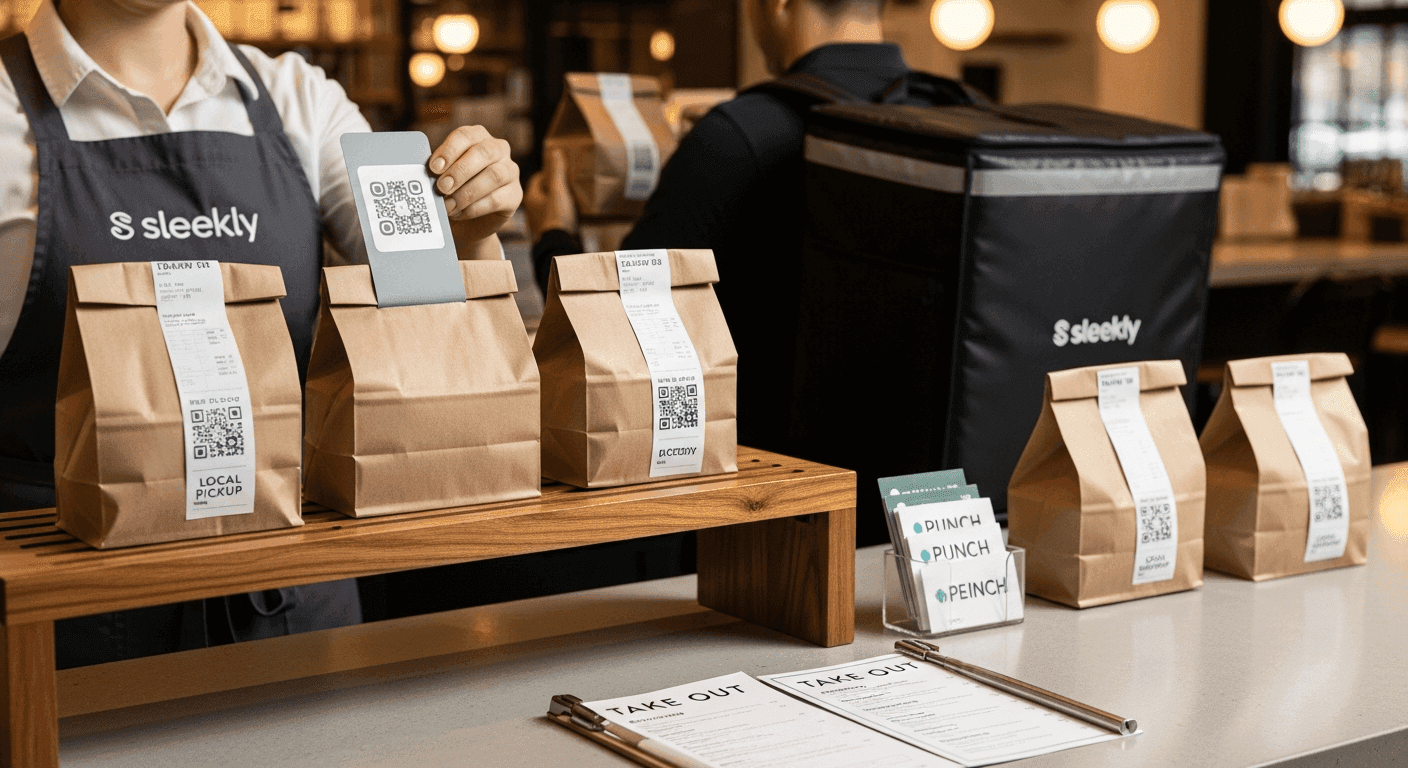
Place a small card in every app order bag with a QR code to your site.
Offer a “next time 10% off on our site” or a free side on pickup.
Train staff to say, “Order direct next time and save a little.”
Add a thank‑you email asking for feedback and linking to your site.
Make your online ordering button huge and clear on your homepage.
Script idea: “If you order on our website next time, you’ll save a little and we keep more to pay our team. Here’s the QR code.” Small nudges add up.
Make your website the hub on all profiles
Point every online profile to your website first. This includes your Google Business Profile, Instagram bio, Facebook page, and email signature.
Use the same “Order Online” link everywhere and point it straight to your ordering page, not the homepage. Fewer clicks mean more orders.
Match hours, menu, and phone across all places. Consistency builds trust and reduces errors.
A simple 90 day playbook to grow direct orders
Week 1 to 2 set up ordering and site basics
Start by getting the core in place. Keep it simple and fast.
Choose one online ordering tool and connect it to your website.
Add a clear “Order Online” button at the top of every page.
Upload your best‑selling items first with great photos.
Set accurate hours, pickup instructions, and delivery radius.
Test the full order on your phone and fix any slow pages.
Add your website and order links to Google Business Profile.
Tip: Test your ordering page on your phone and on a slow connection. If it feels slow, compress photos and remove pop‑ups.
Week 3 to 6 capture emails and reward loyalty
Email marketing means sending helpful messages to people who agree to hear from you. It’s simple and low cost.
Add an email signup on your site with a small perk for first order.
Place a QR code signup at the counter and on takeout menus.
Send one friendly email per week: specials, events, or new items.
Offer points or a punch‑style reward for pickup orders.
Track redemptions to see what brings people back.
Own your customer list so you can invite people back without paying a middleman each time. Always ask permission before adding someone to your list.
Week 7 to 12 shift regulars with small nudges
Now move steady app customers to your website gradually.
Include “Order direct next time and save” cards in all app bags.
Set a pickup‑only bundle at a better price to reward direct orders.
Ask staff to mention the website on every phone call and pickup.
Post one social story per week with the direct order link.
Review simple reports in Google Analytics 4 (GA4), Google’s free website analytics tool, to see if direct orders are rising.
Keep what works and drop what does not. Small, steady improvements win.
Right moves by size and location of your restaurant
Neighborhood spot with limited delivery radius
Focus on pickup and direct orders. People live close and like to support local.
Use one delivery app for discovery only. Keep the delivery radius tight to protect food quality and timing.
Promote call‑ahead and website ordering on your storefront, menus, and bags. Make pickup the hero.
Busy city venue with high app demand
Run on both channels. Use apps for discovery, but guide repeats to your site for better margin.
Keep your website fast and mobile‑first. Add quick re‑order buttons and popular combos for speed.
Offer timed pickup and a clear pickup shelf. Fast handoff keeps customers happy and reduces delivery reliance.
Multi location group that needs consistency
Standardize your menu, photos, and prices across locations. Use one ordering system to manage all sites.
Create a location finder page. Let guests pick the nearest spot and order direct from there.
Use white‑label delivery for control, and keep your brand front and center. Consistency builds trust at scale.
Use apps to get discovered fast, then let your site be the home where you own the relationship, keep more profit, and turn first‑timers into regulars. In the restaurant website vs delivery platforms balance, lean on apps for reach and make your website the hub for direct orders, reservations, and clear info. Take one simple step today: add a big “Order Online” button and include a small QR card in each bag to gently shift repeats without losing app volume.
FAQ on restaurant website vs delivery platforms
Can I charge higher prices on delivery apps to cover fees?
Yes, most apps allow slightly higher menu prices to offset third‑party delivery fees, but many have “price parity” rules that limit big gaps versus your in‑store or website prices. Keep any increase modest and add a short note like “delivery prices include service costs.” Keeping the best value on your website nudges regulars to order direct and supports a smart restaurant website vs delivery platforms strategy.
Do delivery apps share customer emails or phone numbers with restaurants?
Generally, no. You see order details, but not the customer’s email or phone, so you cannot build your own list. Some apps offer limited marketing programs, but to truly own your customer data, collect emails and consent on your site and at pickup.
Is in‑house delivery cheaper than using third‑party drivers?
It depends on your volume and distance. In‑house delivery gives control but adds fixed costs like staff, scheduling, and insurance. Third‑party “white‑label delivery” (your site takes the order, an outside driver delivers) charges a flat fee per drop and is easier to start; many small restaurants pair pickup with white‑label delivery to protect margin.
Which online ordering system works best for small restaurants in 2026?
Pick a tool that’s fast on mobile, clear on fees, and works with your POS (the cash register system). For example, Square Online or Toast Online Ordering. Place a test order on your phone and check that most fees are simple payment processing, not high commissions.
How do I integrate online ordering with my POS?
POS means point of sale, the system you use to take payments. Ask your POS which online ordering partners it supports, turn on the approved module, then map each menu item and modifier. Set pickup and delivery options and taxes, run a full test order, and fix any mismatches before going live.
How do I add an Order Food button on Instagram?
If your ordering provider is an approved Instagram partner, go to Edit Profile, choose Action Buttons, and select Order Food to connect it. If there’s no partner, use your profile link or story link sticker to send people to your “Order Online” page.
En Lire Plus
Gardez une longueur d'avance avec des conseils d'experts en branding, design et marketing.

